Meal plans made for your family
Not a generic “top ten dinners” list. MealPlanPartner builds each week around your tastes, routines and energy — quick meals on school nights, something slower on Sundays, and your favourites back just often enough.

Coming soon on iPhone & Android — early access open
MealPlanPartner learns your household's tastes, routines and preferences — then helps you plan the week, organise recipes, build shopping lists and keep everyone on the same page.
Free to use · No lengthy setup · Built for real family weeks
Sound familiar?
It's everything before it — deciding, remembering, shopping. Again and again, every single week.
The same question, every evening — usually at the worst possible moment.
Recipes bookmarked across three apps and a browser tab, never to be seen again.
The mental load of meals quietly lands on whoever gives in first.
The notes app, a scrap of paper, someone's memory. Something always gets missed.
Not because you love them — because deciding on anything new is exhausting.
You'd happily cook new things, if finding and planning them wasn't a second job.
None of this means your household is disorganised. It means the job is bigger than it looks — and you've been doing it without help.
The calm alternative
MealPlanPartner works quietly in the background of family life. The more you use it, the better it understands how your household actually eats.
What it does
Seven quietly useful tools that work together, so the plan takes care of itself.
Not a generic “top ten dinners” list. MealPlanPartner builds each week around your tastes, routines and energy — quick meals on school nights, something slower on Sundays, and your favourites back just often enough.
Seen something great on social media or a food blog? Import it in seconds, so inspiration makes it to the table instead of dying in a saved folder.
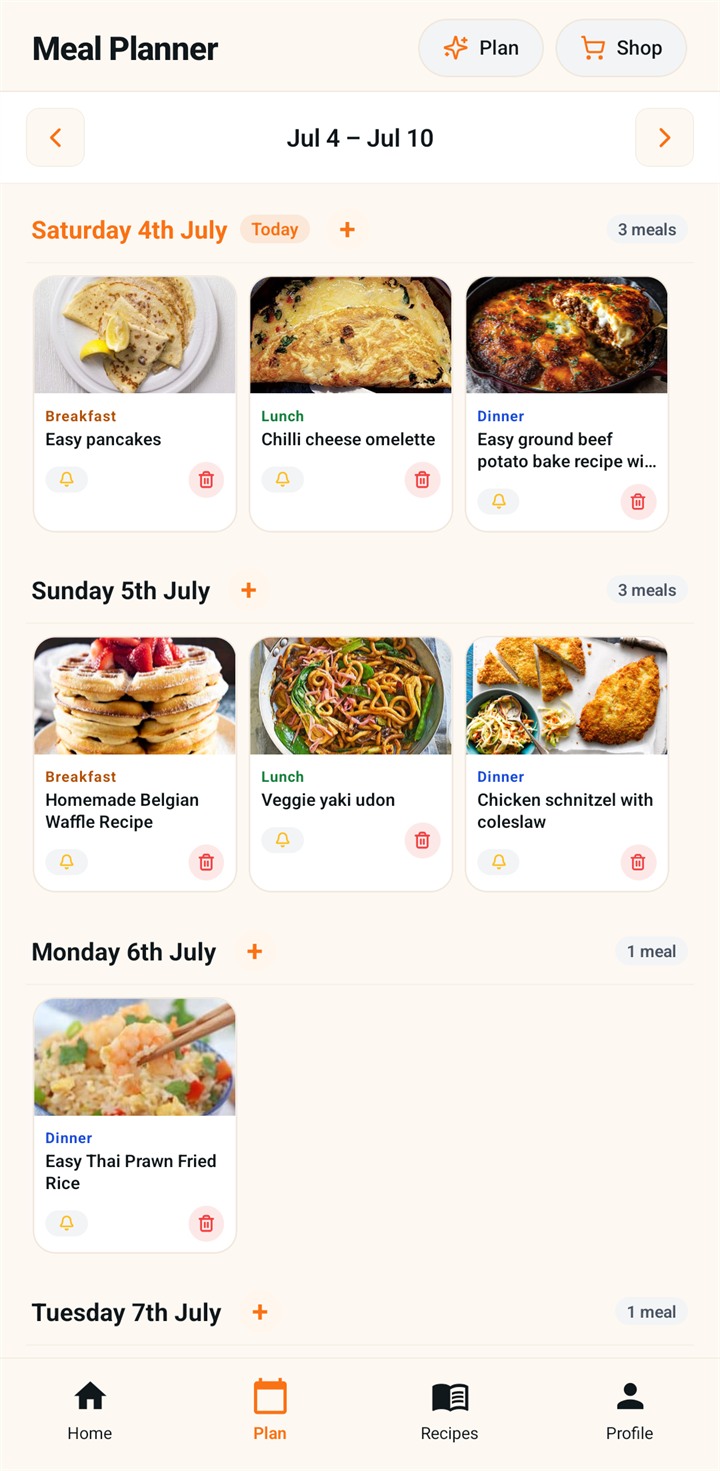
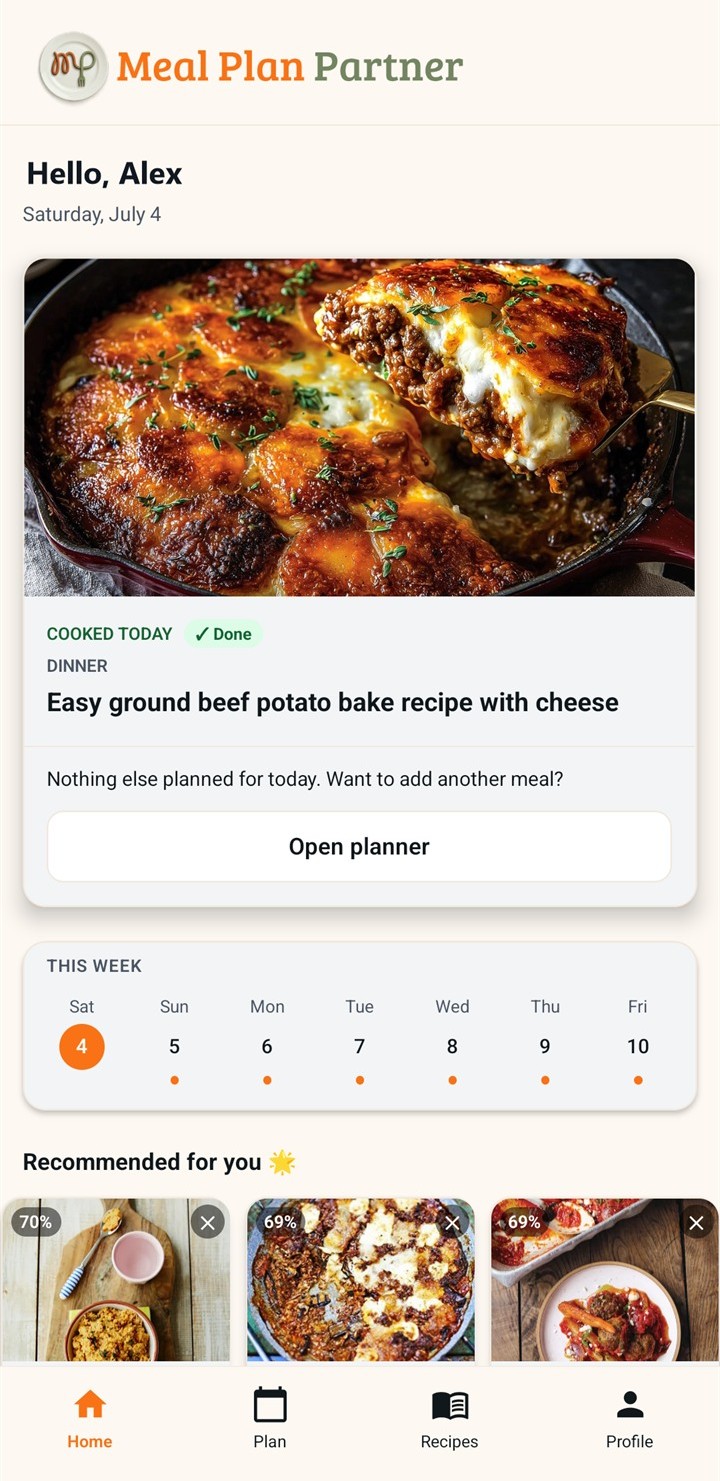
One plan the whole household can see and shape. Who's cooking, what's for dinner, what still needs doing — without a single “what's the plan?” text.
Your week's plan becomes one tidy, combined list. One trip round the shop, nothing forgotten, no mystery ingredients left over.
Vegetarian days, allergies, the child who won't touch mushrooms. Set it once, and every suggestion quietly respects it.
The whole week at a glance. Swap a meal, move a day, and the plan — and the shopping list — keeps up with you.
Take the chicken out of the freezer. Start the marinade. Prep the slow cooker. The right nudge, at the right time, to the right person.
Getting started
No spreadsheet energy required — setup takes minutes, and the app improves as you use it.
A few quick questions — who's eating, what you like, what's off the table. Two minutes, not twenty.
Import from social media and websites, or pick from suggestions. Your family favourites, finally in one place.
MealPlanPartner drafts a week that fits your real life. Keep what works, swap what doesn't.
The shopping list writes itself and reminders keep prep on track. When life changes the plan, the app changes with it.
Every meal you plan teaches it a little more about how your household eats — so the suggestions keep getting closer to “exactly what we'd have picked”.
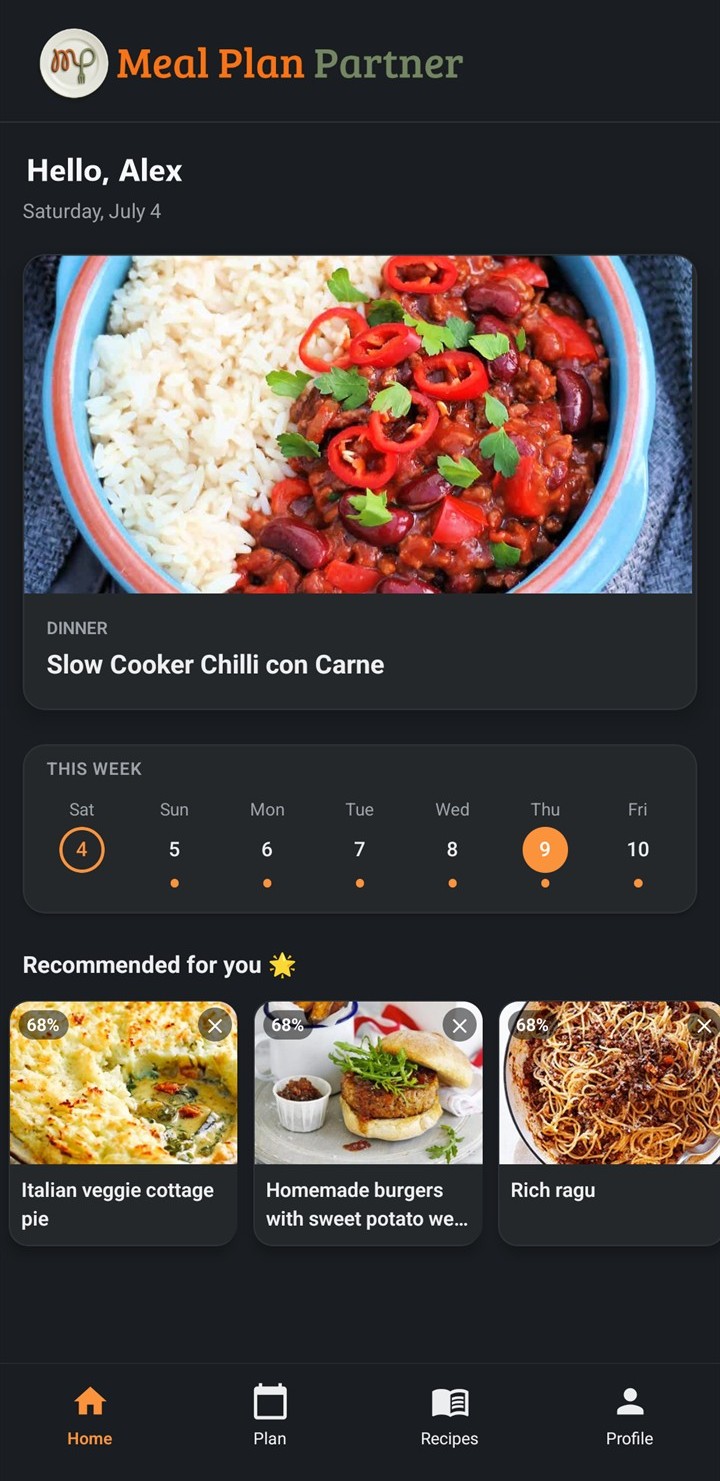
A look inside
Why it's different
Recipe apps show you meals. MealPlanPartner learns how your household actually eats.
MealPlanPartner…
The recipes matter. But the real work of feeding a family is deciding, coordinating and remembering — and that's the part MealPlanPartner takes on.
For couples & families
When only one person can see the plan, only one person can carry it. MealPlanPartner puts the whole week where everyone can see it — and help with it.
Pricing, without the small print
The core app can be used completely free — meal planning, recipes, shopping lists and household sharing included. Free isn't a trial or a teaser; it's how MealPlanPartner is meant to be used. Optional extras may come later for households that want more, but the everyday experience stays free.
Early access
iPhone users can hear first when MealPlanPartner goes live. Android users can help with the closed test we need before Google Play production launch.
Questions, answered
Yes. The core app — meal planning, recipes, shopping lists and household sharing — can be used completely free. Optional extras may come later, but free isn't a trial; it's the everyday experience.
It's coming soon to both the App Store and Google Play. iPhone can launch directly through the App Store; Android will go through a closed test first, so Android early-access testers are especially helpful.
No. Recipe apps show you meals and leave the rest to you. MealPlanPartner learns how your household actually eats — tastes, dislikes, routines — then helps you decide, plan, shop, prepare and adapt when the week changes.
A couple of minutes. Answer a few quick questions about your household and you're planning. There's no big onboarding project — the app simply gets more accurate the more you use it.
That's the whole idea. Your household shares one plan, one shopping list and one set of reminders — so both of you can see what's happening and either of you can help without asking what needs doing.
Yes. Set dietary preferences, allergies and dislikes for your household — vegetarian days, no mushrooms, whatever applies — and suggestions and plans will respect them automatically.
Yes. MealPlanPartner can nudge you — or your partner — to take meat out of the freezer, start a marinade or prep the slow cooker, at the right time for what's planned.
Soon. The plan is to launch iPhone as soon as store review is ready, while Android completes the required closed-test window before Google Play production release.
Yes. Share a recipe from social media or paste a link from a website and MealPlanPartner brings it into your collection — ingredients and all — ready to drop into a weekly plan.
It's built for exactly that. Kid favourites, fussy phases and “no mushrooms, ever” are all part of what it learns — so plans work for the whole table, not just the adults.
Less deciding, more enjoying. Join early access today — or send it to the person you plan dinners with.
Free to use · Coming soon on iOS and Android